

Reffrey: Compare Your Mix to a Group of Reference Tracks

Reffrey is a reference track analyzer for producers: it compares your mix against professional tracks in real time, and it does this against a whole group of references at once instead of one at a time. It runs as a standalone desktop app and as a VST3 and AU plugin.
What Reffrey does
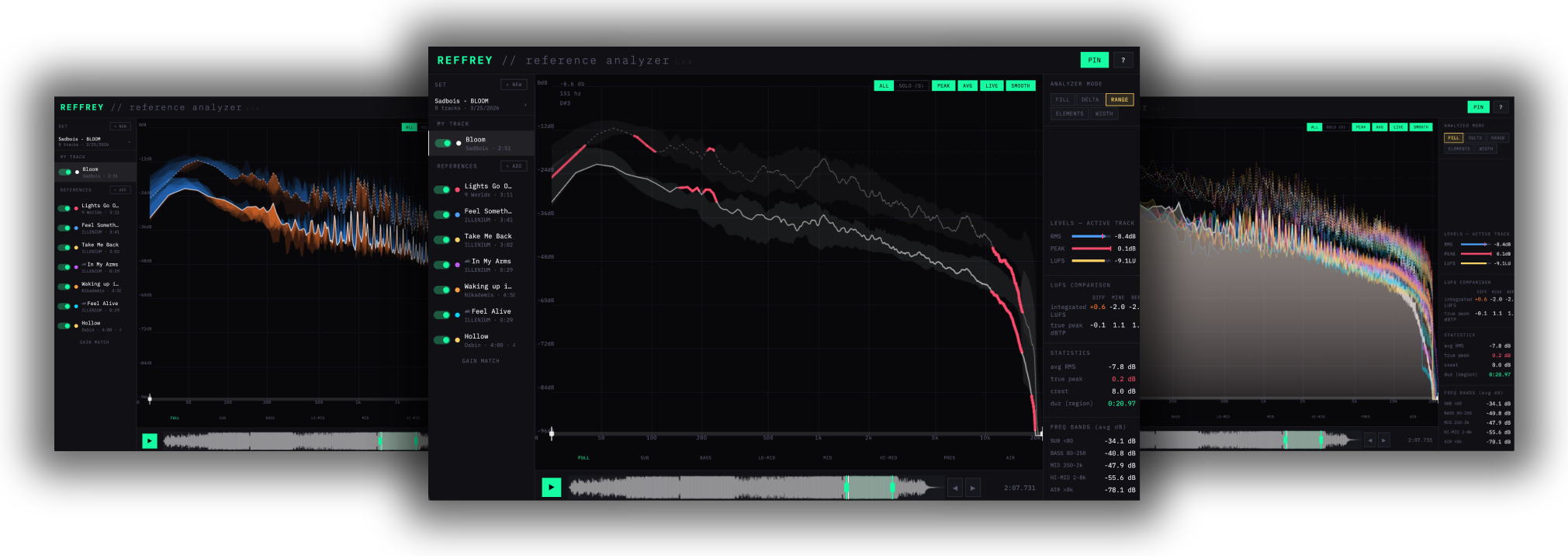
You load several reference tracks and play your own mix next to them. Reffrey then shows where your track sits relative to the group, rather than relative to a single song. The main view is the DIFF mode, which has three sub-modes:
- Delta: shades the differences in orange or blue. Orange means your track is hotter than the reference, blue means it is cooler.
- XRay: draws a band around each reference track and shades your track where it falls outside the band, red for high and blue for low.
- Band: combines all of your active references into a single reference band with progressive smoothing.
A separate PARTS mode helps you see where elements such as sub, kick, snare, leads and vocals sit in your references. The page says the parts are drawn automatically, that it is “not perfect (yet)”, and that you can draw them by hand.
Gain matching and metering
Level differences make a quieter mix sound worse, so Reffrey has a gain match function. You play your track for about five seconds so the app can measure its integrated LUFS, then press Gain Match. The app also offers real-time stereo width comparison and loudness metering (LUFS, RMS and peak). The plugin version is described as a pure passthrough with no latency impact.
Library, Deezer clips and live input
- References are saved to a library automatically, and you can save sets of references for later.
- You can search Deezer and import 30-second clips of tracks as references.
- To analyse your own project, put the plugin on the master channel after all effects and select Live Input in the My Track section.
Compatibility, price and refund
- macOS 12 or later (Apple Silicon and Intel): standalone, VST3 and AU
- Windows 10 and 11 (x64 only): standalone and VST3
- Tested in Ableton, Reaper, Logic Pro and FL Studio, and it may work in other DAWs that support VST3 or AU
- Price: a one-time purchase with a lifetime licence for up to three machines and all future updates, with no subscription and no account. The page lists a regular price of $199 and a launch price of $29, and does not give an end date for the launch sale, so check the site for the current price.
- Refund: you can ask for a refund within 14 days of purchase.
The support page mentions trial licences, but it does not say how long a trial lasts or how to get one.
How it fits into a mixing routine
A group view is most useful once you already have a decent balance. Pick three to five finished tracks in your genre, match their levels to your mix, and look for places where you sit outside the band. If you have not built a reference routine yet, our 20-minute reference track method is a good starting point, and Orra Tone Zone Pro approaches the same question with genre targets.
If you mix drum and bass, drum and bass sample packs from Ghost Syndicate give you starting sounds that you can check against your references early.